
I remember the moment everything went wrong. The client had just walked in. Coffee was still warm, laptops were open, and the screen wouldn’t connect. Someone dimmed the lights, but too much. Another tried fixing the audio, but it echoed. Minutes passed. Then more. That meeting should have closed a deal. Instead, it quietly slipped away. It wasn’t the idea that failed; it was the room. Later that week, I started asking a different question: what if the space itself could just work… without friction, confusion, or delays?
Running a growing business, I always believed our team was the problem when meetings felt chaotic. But the truth hit differently; our environment was working against us. That’s when I discovered conference room automation, and it changed how we collaborate, present, and make decisions.
For business owners and homeowners building high-end workspaces, the expectation is simple: everything should feel seamless. No fiddling with remotes. No calling IT mid-meeting. Just one intuitive system that controls lighting, sound, video, and connectivity. That’s exactly what meeting room automation delivers: a smarter, cleaner way to run meetings without distraction. And once you experience it, there’s no going back.
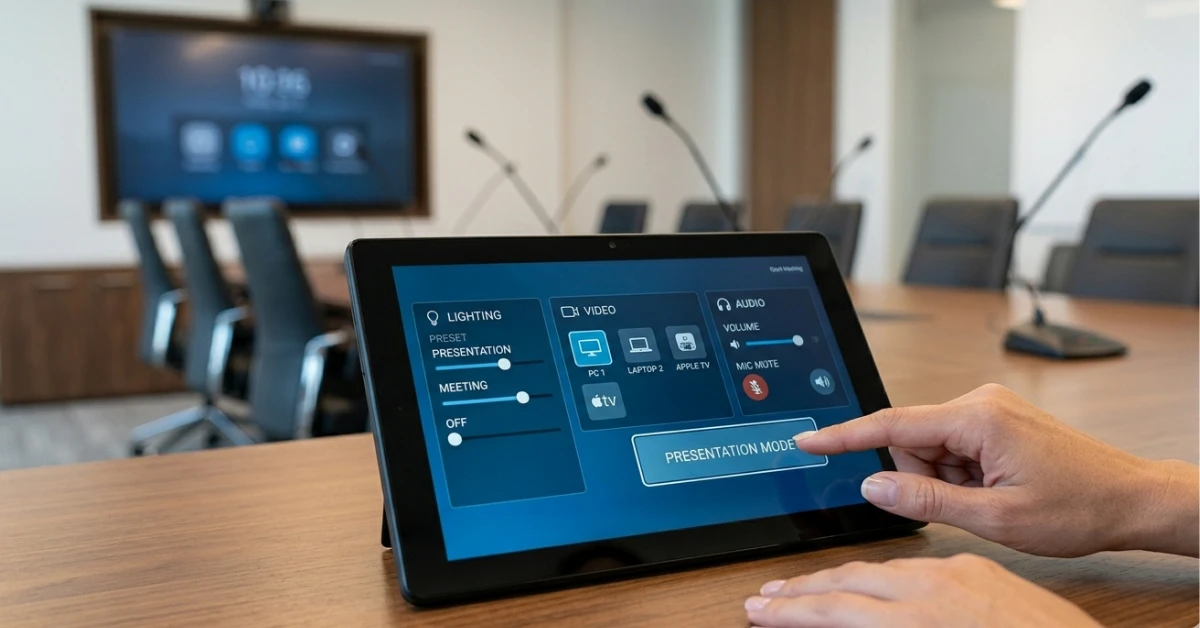
What Is Conference Room Automation?Conference room automation is a system that integrates audio, video, lighting, and control technology into one seamless interface, allowing users to manage meetings with a single touch or voice command. It eliminates manual setup, reduces technical issues, and ensures consistent, high-quality collaboration experiences. |
How Conference Room Audio Visual Equipment Works Together
When I first heard about conference room audiovisual equipment, I assumed it meant adding more screens and speakers. I was wrong. It’s not about adding; it’s about integrating.
Conference room automation connects every component: display, sound, lighting, and controls into a single intelligent system that responds instantly. Users don’t manage devices; they manage the experience.
Instead of juggling multiple remotes, everything runs through one interface. Whether it’s a wall panel or tablet, the experience feels natural. You walk in, tap “Start Meeting,” and the room adjusts instantly.
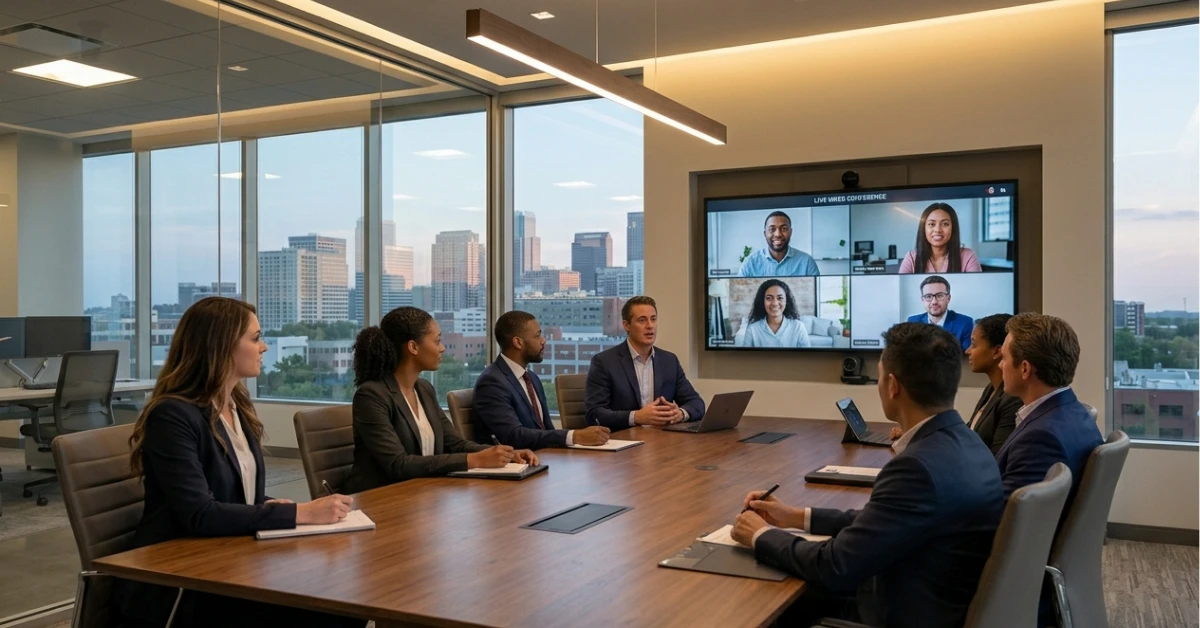
Lighting dims to the right level. The screen powers on. Audio calibrates automatically. Modern conference room media systems also adapt to hybrid meetings. Remote participants hear clearly, see clearly, and engage without lag. That’s the real shift from equipment to experience.
A Real Transformation in a Modern Conference Room
A business owner I know in Texas had the same frustration I did. His team avoided the boardroom because meetings always started late. Technology got in the way. He decided to upgrade using a professionally designed solution from automated conference room systems by Ace Integrated Technologies. The change was immediate.
The room greeted them differently. Lights adjusted as they walked in. Screens are activated without input confusion. Even the conference room lighting control adapts to presentation mode or discussion mode automatically. The biggest difference wasn’t technical; it was emotional.
People felt confident walking into that room. Meetings started on time. Clients noticed the polish. Deals closed faster. It wasn’t just a smarter room. It was a better business environment.
How Conference Room Automation Works (Step-by-Step)
Understanding the process helped me feel confident moving forward. It’s simpler than most people expect.
1. Consultation & Design
The process begins with understanding how your team actually uses the space day to day. A professional team evaluates room size, meeting style, and workflow challenges before designing a system that fits naturally. Instead of forcing technology into your environment, the setup is tailored around your habits, ensuring everything feels intuitive, efficient, and aligned with how you work. Platforms like Elia’s automation insights highlight how integrated room control reduces setup time and improves meeting efficiency significantly. Once installed, the system fades into the background, and that’s the point.
2. System Integration
Once the design is finalized, every component is brought together into one seamless system. Displays, microphones, cameras, and controls are integrated using platforms like Crestron or Control4. This eliminates the need for multiple remotes or manual adjustments. Everything communicates smoothly, creating a unified experience where each device responds instantly and works as part of a larger, intelligent ecosystem.
3. Installation & Programming
Experts handle the installation with precision, ensuring every device is positioned and configured correctly. Then comes programming, where automation scenes are created to simplify everyday use. With a single tap, the room can shift into presentation mode, adjusting lighting, activating screens, and optimizing audio. This step transforms complex technology into a smooth, one-touch experience anyone can use confidently.
4. Testing & Calibration
Before the system is ready, everything is carefully tested and fine-tuned. Audio levels are balanced to eliminate echoes, video clarity is adjusted for sharp visuals, and all devices are synced for smooth operation. This calibration phase ensures reliability, so meetings run without interruptions. The goal is simple: when you walk into the room, everything performs exactly as expected, every single time.
5. Training & Support
After setup, you’re guided through how everything works in a simple, stress-free way. Most systems are designed to be intuitive, so learning takes very little time. Even then, ongoing support is available if needed. Whether it’s a quick adjustment or future upgrades, you have expert help ready, ensuring your system continues to deliver a seamless experience long after installation. According to a report by HTF Market Insights, smart conference room systems are growing rapidly due to demand for seamless hybrid collaboration environments.
Benefits of Choosing Conference Room Automation
What surprised me most wasn’t the technology; it was the consistency. Every meeting felt smooth. Every presentation started on time. There was no friction. That’s the real benefit of conference room automation.
Working with a professional team like Ace Integrated Technologies means the system is designed around your needs, not forced into your space.
Their expertise in planning smarter meeting environments ensures that every detail, from conference room equipment setup to integrated room control, is aligned with how you actually work.
Clients often mention how these systems feel “invisible” because everything just works. Add in trusted technology partners like Crestron, Control4, and Lutron, and you’re not just getting automation; you’re getting reliability. And reliability builds trust with your team and your clients.
Wrapping it Up
Looking back, the problem was never our meetings; it was the environment we were asking people to work in. Conference room automation removed that friction completely. It turned confusion into clarity. Delays in momentum. If your meetings feel harder than they should, it might be time to rethink the space itself.
Explore how a tailored solution can transform your workspace by visiting Ace Integrated Technologies and booking a consultation to design a system that works exactly the way you do.
Frequently Asked Questions
What does conference room automation actually control?
It controls lighting, displays, audio systems, video conferencing tools, and environmental settings. Everything works through one interface, reducing complexity and saving time.
Is meeting room automation difficult to use?
Not at all. Most systems use touch panels or simple apps. One button can launch an entire meeting setup without technical steps.
Can it support hybrid or remote meetings?
Yes. Modern systems are designed for seamless hybrid collaboration with high-quality video and audio synchronization.
How long does installation take?
It depends on the room size and complexity, but most setups are completed within days, not weeks.
Is it worth the investment for small businesses?
Absolutely. It improves efficiency, saves time, and creates a more professional experience that directly impacts productivity and client perception.