
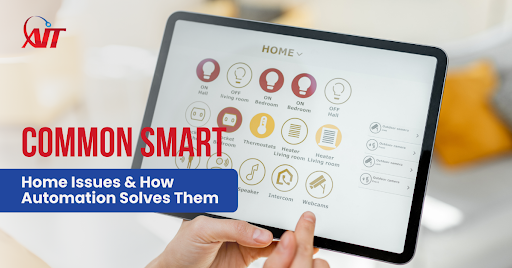
Many homes now use smart devices for comfort, control, and daily tasks. Yet these systems often run into issues that interrupt simple routines. Devices drop connection. Apps freeze. Lights or thermostats fail to respond on time.
These problems grow worse as more devices join the system. Small delays can cause bigger disruptions. People lose time fixing simple tasks. Frustration builds when systems stop working during busy moments. Even minor failures create stress because the home no longer feels easy to manage.
Smart home solutions address these challenges with steady automation and clear control. They reduce errors and keep devices working together. As a result, users get smoother performance each day, along with easier management and fewer interruptions. Strong Smart Home Automation design prevents many issues from starting in the first place.
Issue #1: Connectivity Problems in Smart Homes
Many homes face connectivity issues caused by weak signals, crowded networks, and long distances between devices. These faults slow down simple commands and add delays to daily tasks. Devices may also struggle when too many systems demand bandwidth at once, which leads to dropped links or late responses.
These problems interrupt routines that should stay smooth. Even one slow device affects the entire setup and creates stress during busy hours. Lights respond late, thermostats miss schedules, and apps return repeated errors. These delays reduce trust in the system and make the smart home feel less reliable.
Common signs of connectivity problems include:
- Delayed automation scenes
- Failed voice commands
- Repeated app errors
- Inconsistent device status updates
How Automation Fixes It
Automation offers a steady connectivity fix for smart homes by boosting network strength and improving device communication. These upgrades support smoother commands and reduce the chance of connection drops. Each device then works with better consistency and fewer delays.
With the right setup, the system stays stable during daily use. Automated support also helps devices recover quickly from short interruptions. This creates a predictable experience and keeps routines running without repeated errors.
Key automation improvements include:
- Stronger network design that balances load across devices
- Mesh Wi-Fi setups that reduce dead zones
- Wired access points that support busy rooms
- Automated resets that keep devices steady
Issue #2: Smart Devices Failing to Sync or Respond
Many homes face problems when devices fail to sync or stop responding at key moments. These issues often appear when systems rely on different platforms or outdated settings. Devices lose coordination and respond with delays or no action at all. This creates confusion during tasks that should run smoothly.
Outdated firmware is another common cause. Devices miss updates and fall behind current standards. Older versions also break links with newer apps or controllers. Incompatible platforms add more friction and limit the way devices work together. These faults make simple tasks harder and reduce system confidence.
People look for ways to solve smart device issues once failures become frequent. Missed actions affect comfort and timing. Scenes fail. Schedules glitch. Voice commands return no response. All of these problems add stress to daily use.
How Automation Fixes It
Automation provides reliable smart device fixes by keeping systems aligned and updated. Central hubs bring all devices into one control center. As a result, each device follows the same rules and settings, which reduces errors caused by mixed platforms.
Automated updates keep devices current. Routine checks scan for faults and restore settings before issues spread. Unified control systems cut down on conflicting commands and keep responses steady. Strong Smart Home Automation planning prevents many sync issues before they appear.
Key automation benefits include:
- Central hubs that keep devices synced
- Automated updates that reduce version conflicts
- Routine system checks that catch faults early
- Unified controls that prevent command errors

Issue #3: Slow or Inconsistent System Performance
Why Smart Homes Feel Slow or Glitchy
Many smart homes start to feel slow or glitchy over time. Commands take longer. Apps load with delays. Devices respond late or stop midway. These problems appear more often as systems grow and more devices join the network.
Causes Behind Poor Performance
In many cases, overloaded networks cause the slowdown. Too many devices fight for the same bandwidth. Outdated configurations add more friction and hold back newer features. Some homes also deal with improper setup, which sends traffic to the wrong areas. As a result, users notice delays during routine tasks, and the entire system feels less stable.
Why Users Seek Performance Help
People often look for smart home performance tips once these issues appear. Delayed scenes, missed alerts, and lagging apps can disrupt daily use and reduce trust in the system.
How Automation Fixes It
Automation improves performance by giving key devices the support they need. It assigns bandwidth to important systems first, which keeps essential tasks steady. This approach reduces delays across the entire setup.
Automated scheduling also spreads activity throughout the day. This reduces overload and keeps each device free to respond quickly. Balanced performance settings help maintain a consistent flow, even when the system is busy. As a result, the smart home runs with fewer delays and more predictable results.
Key automation improvements include:
- Prioritizing key devices for better bandwidth
- Automated scheduling that reduces heavy traffic
- Balanced performance settings that support steady operation
- Smarter routing that avoids unwanted slowdowns
Issue #4: Confusing App Controls or Too Many Platforms
Why Users Feel Overwhelmed
Many users feel lost when smart home devices require several apps. Each app has its own layout, menu, and process. This creates confusion during simple tasks. Switching between apps also slows down routines that should take only seconds.
How Fragmented Control Creates Frustration
A lack of unified control makes daily use harder. Devices fail to work together smoothly. Scenes may require multiple steps instead of one command. These issues lead to frustration, especially during busy moments when quick action matters.
How Automation Fixes It
Unified Dashboards for Easier Control
Automation brings devices into one dashboard. Lighting, climate, audio, and security appear in a single interface. This setup reduces confusion and keeps tasks simple.
Voice Assistants for Quick Commands
Voice assistants cut down on steps. Users speak one command instead of opening several apps. This makes routines faster and easier.
Custom Scenes for Fewer Manual Steps
Custom scenes remove repeated tasks. One action can adjust lights, temperature, and audio at the same time. This reduces manual work and keeps the home running smoothly.
Issue #5: Security Risks and System Vulnerability
Common Security Weak Points
Many homes face security risks due to weak passwords, outdated devices, and open networks. These gaps make it easier for intruders to target connected systems. Outdated firmware also leaves devices exposed to known threats.
Risks of Unauthorized Access
These weak points allow outsiders to attempt access to cameras, locks, or control panels. Even small gaps can create serious concern. Users may lose trust in their systems when security fails during critical moments.
How Automation Fixes It
Automation strengthens security by keeping devices updated and protected. Automated firmware updates close known gaps before threats spread. Encrypted networks add another layer of safety and reduce the chance of outside intrusion. These changes help users keep their systems safe without constant manual checks.
Automation also supports early detection. Access logs record activity, and real-time alerts notify users when unusual behavior appears. This quick response lowers risk and keeps the entire system more reliable.
Key automation benefits include:
- Automated firmware updates
- Encrypted networks for safer data flow
- Access logs that track device activity
- Real-time alerts for faster action
Issue #6: Automation Routines Not Working Correctly
Triggers That Often Fail
Many routines break because motion sensors, schedules, or geofencing fail to activate. These failures interrupt scenes that should run smoothly during daily use.
Why Routines Misfire
Incorrect settings cause many failures. Distance limits also weaken geofencing. Software bugs add more issues and stop routines before they complete. Users often turn to smart home troubleshooting when these errors repeat.
How Automation Fixes It
Automation improves routine performance by fixing trigger problems at the source. Professional calibration helps sensors react at the right time. Adaptive settings also adjust scenes to user habits, which cuts down on missed actions and late responses.
System monitoring adds more support. Alerts notify users when routines stop working, which makes troubleshooting easier. These tools keep scenes steady and reduce repeated failures linked to motion sensors, schedules, or geofencing.
Key automation benefits include:
- Proper calibration of sensors and triggers
- Adaptive settings that align with user patterns
- System monitoring alerts for quick fixes
- Better timing for scenes and routines
Issue #7: Outdated or Incompatible Devices
Why Older Devices Cause Problems
Older devices often fail to integrate with newer systems. They may use outdated standards or lack support for current platforms. These gaps slow down scenes and create repeated failures.
Impact on System Performance
Outdated equipment forces newer devices to work harder. Commands lag. Scenes break. The entire system feels unstable. Users often look for automation system improvements once these issues appear.
How Automation Fixes It
Automation improves compatibility by organizing devices into a system that works smoothly. Users can select brands that support the same ecosystem, which helps reduce conflicts. Bridges or hubs also connect older devices to newer platforms and keep them functioning.
Upgraded controllers add more stability. Modern versions respond faster and support current features. This reduces errors, improves coordination, and prevents outdated devices from slowing the entire system.
Key automation benefits include:
- Better device compatibility across brands
- Bridges and hubs that connect older devices
- Upgraded controllers for steady performance
- Fewer delays linked to outdated hardware

When to Call a Professional for Smart Home Help
Some issues go beyond simple DIY fixes. Repeated errors, slow devices, or routines that stop working often point to deeper problems. These faults may involve network design, device conflicts, or outdated hardware. When simple resets fail, users need expert support.
Professionals run detailed diagnostics that show the true cause of the problem. They check device settings, network load, and system compatibility. This process helps them apply long-term solutions instead of temporary patches. A well-designed system also reduces future issues and creates a smoother experience each day.
Benefits of working with a professional include:
- Complete diagnostics for deeper system issues
- Correct device setup and calibration
- Stronger network design for steady performance
- Long-term reliability with fewer errors
Conclusion
Smart homes often face problems such as slow devices, poor connections, failed routines, and outdated equipment. These issues disrupt simple tasks and reduce system confidence. Many problems grow over time as more devices join the setup.
However, smart home solutions make these systems smoother and more reliable. Automation improves performance, reduces errors, and supports better communication across all devices. With the right setup, users enjoy steady routines and easier control each day. For long-term results and better peace of mind, readers should consider expert guidance to keep their smart home running at its best.
Ready for smoother control and fewer smart home issues? Ace Integrated Technologies delivers reliable Smart Home Automation support for better daily performance. Contact us today to upgrade your smart home experience.
FAQs
1. Why do my smart home devices stop responding suddenly?
Devices often stop responding due to weak signals, outdated firmware, or conflicting platforms. Once the system loses coordination, commands fail or respond late.
2. How can I improve slow smart home performance?
You can improve performance by reducing network load, updating device settings, and checking connections. Automation also assigns bandwidth to key devices for smoother operation.
3. Do I need a professional to fix repeated smart home problems?
Yes, in many cases. Repeated failures usually point to deeper issues, such as setup errors or device conflicts. A professional can run full diagnostics and apply long-term solutions.
4. Can automation really fix device sync issues?
Yes. Automation uses central hubs, routine updates, and unified controls. This keeps devices aligned and reduces errors caused by mixed platforms.